Client guide
Your account
An account is optional. It gathers every claim filed with your email in one place and keeps your details for the next claim.
Creating an account
Go to Create an account, enter the email you used on your claim and choose a password. A confirmation email arrives within a minute; click its link and you are in. Claims already filed with that email appear automatically.
What you find inside
| Page | What it is for |
|---|---|
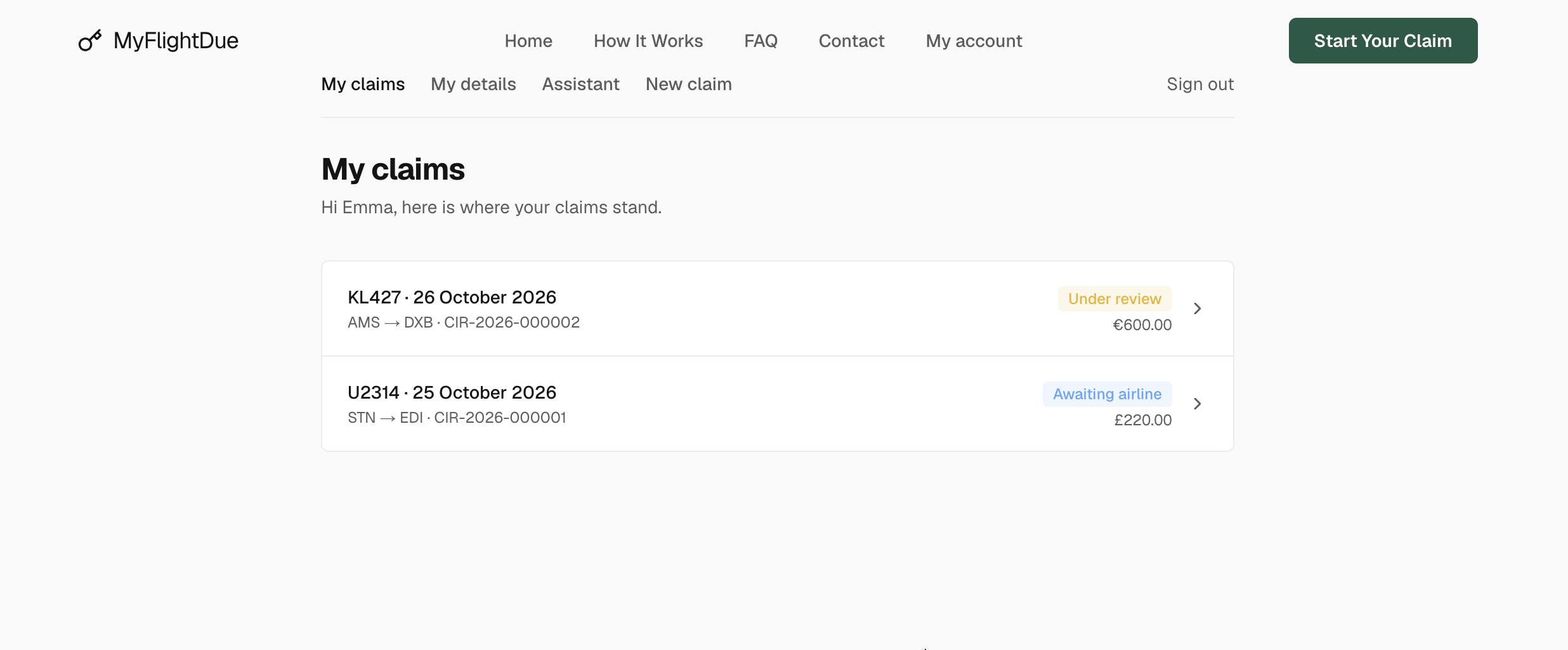
| My claims | Every claim on your email, with its status. Open one for the same view as the tracking page: progress, flight summary, documents, message box and timeline. |
| My details | Name, phone, address, password. Changing them here updates the next claim form. |
| Assistant | The same assistant as on the site, already aware of your claims. |
| New claim | The claim form with your contact details filled in. |
Signatures per passenger
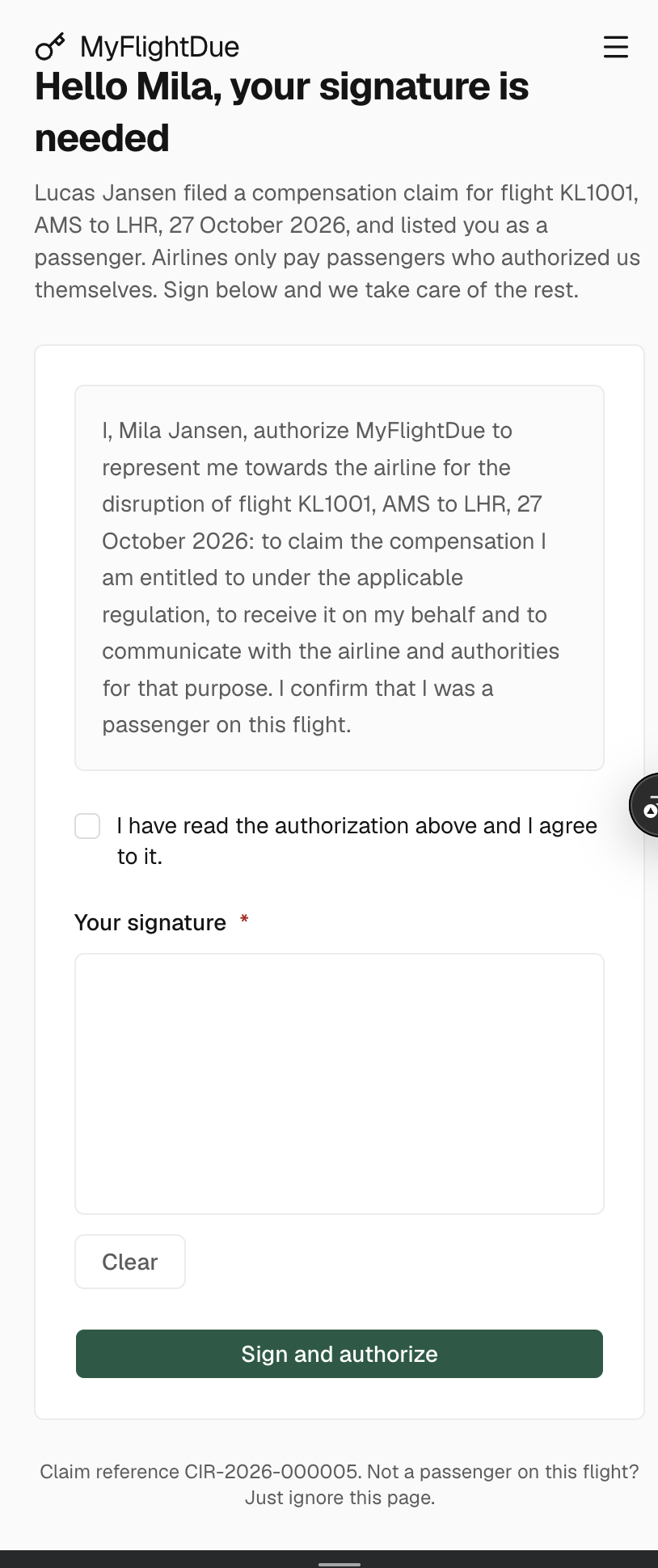
A claim is sent to the airline only when every passenger has signed their authorization. Each passenger signs from the link in the email they received: they read the text, tick the agreement box and sign on screen. Every signature shows in the timeline of the claim as A passenger signed their authorization. If a link was lost, write to us from the message box and we resend it.
Emails you will receive
- Claim received · right after you submit, with the claim number and the tracking link.
- Assessment · once the flight is verified: eligible or not, and the amount per passenger we will claim.
- Claim sent · when the letter leaves for the airline.
- Status updates · each time the claim moves: airline reply, approval, payment.
- Information requested · when the team needs something from you; the claim waits for your answer.
Every email comes from MyFlightDue and links to your tracking page. We never ask for a payment or your card details.
Signing out and forgotten passwords
Sign out from the link at the top of any account page. Forgot the password? Use Forgot password? on the sign-in page; a reset link arrives by email. Without an account, your tracking links keep working: see Track your claim.