Client guide
Chat with the assistant
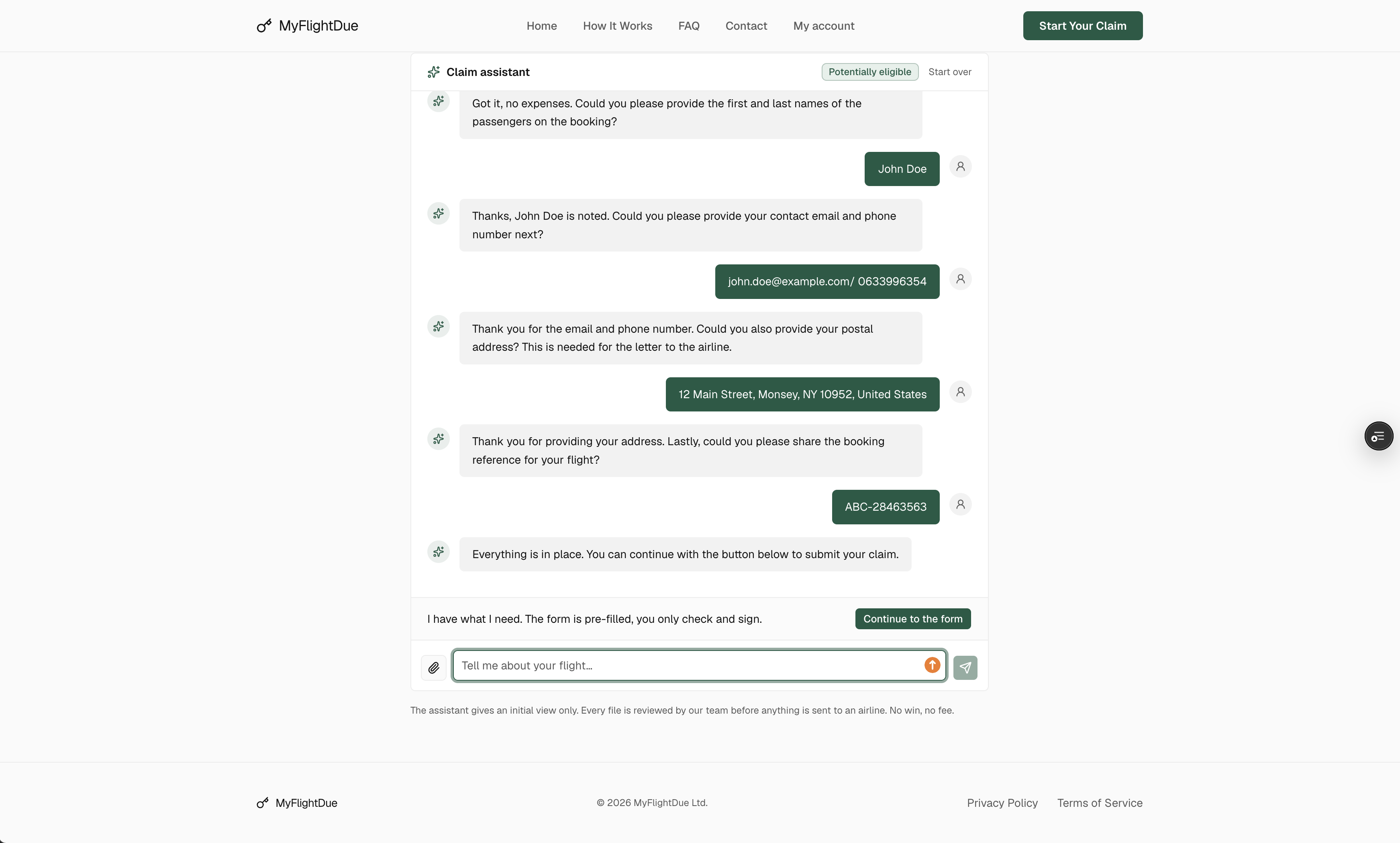
The assistant is a conversation instead of a form. Tell it what happened in your own words, it finds the flight, gives a first opinion and fills the claim form for you.
When to use it
- You are not sure what applies · a missed connection, a flight moved to the next day, a downgrade: describe it and the assistant sorts it out.
- The quick check did not find your flight · the assistant asks for the route and the airline and searches again.
- You would rather not fill a form · the assistant collects the same details step by step and hands you a pre-filled form to check and sign.
Open it from Start your claim by chatting on the site, from the quick check when a flight is not found, or from your account.
How a conversation goes
Tell your story
Flight, date, what went wrong. One sentence is enough to start; the assistant asks for what is missing.
It finds the flight
The assistant looks the flight up in real flight data and confirms the route, the times and the recorded delay or cancellation.
It gives a first view
Eligible or not, under which regulation, for roughly how much per passenger. When it can, it quotes what happened in our past files with that airline.
Continue to the form
When it has what it needs, the assistant pre-fills the claim form. You check, add the passengers and sign.
What it will not do
The assistant gives an initial view only. It does not promise an amount, does not send anything to the airline and does not replace the review by our team. Every file is read by a person before the claim letter goes out. When a question is beyond it, it tells you so and alerts the team, who get back to you by email.