Client guide
Check your flight
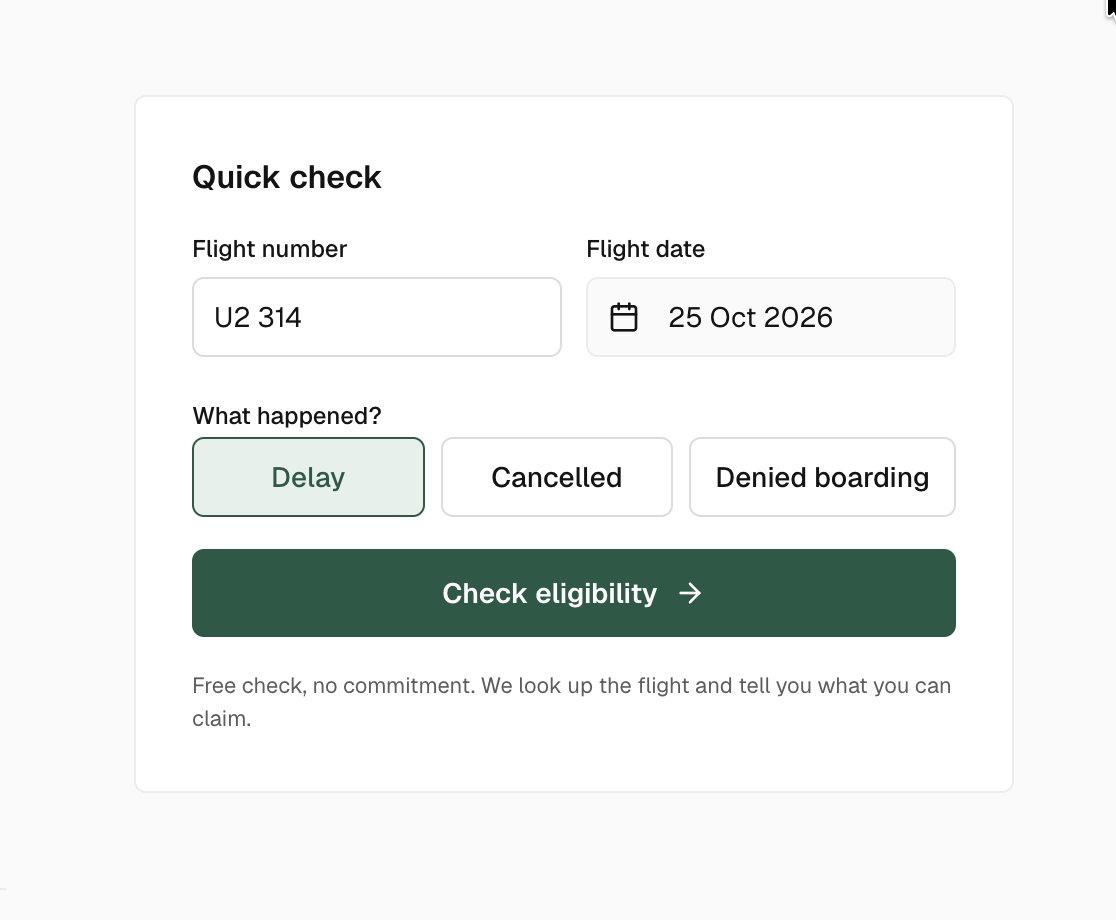
The quick check on the home page tells you in a few seconds whether your flight looks eligible and for how much. It is free and commits you to nothing.
What to enter
- Flight number · the airline code and the number, as printed on your boarding pass: AF 1234, U2 314, KL 427. Spaces do not matter.
- Flight date · the scheduled departure date of that flight, local time of the departure airport.
- What happened · Delay, Cancelled or Denied boarding. Pick the one that matches the flight you entered.
Tip
With a connection, enter the flight that went wrong. If the first flight was late and you missed the second one, enter the first flight and mention the missed connection in the claim form later.
Reading the result
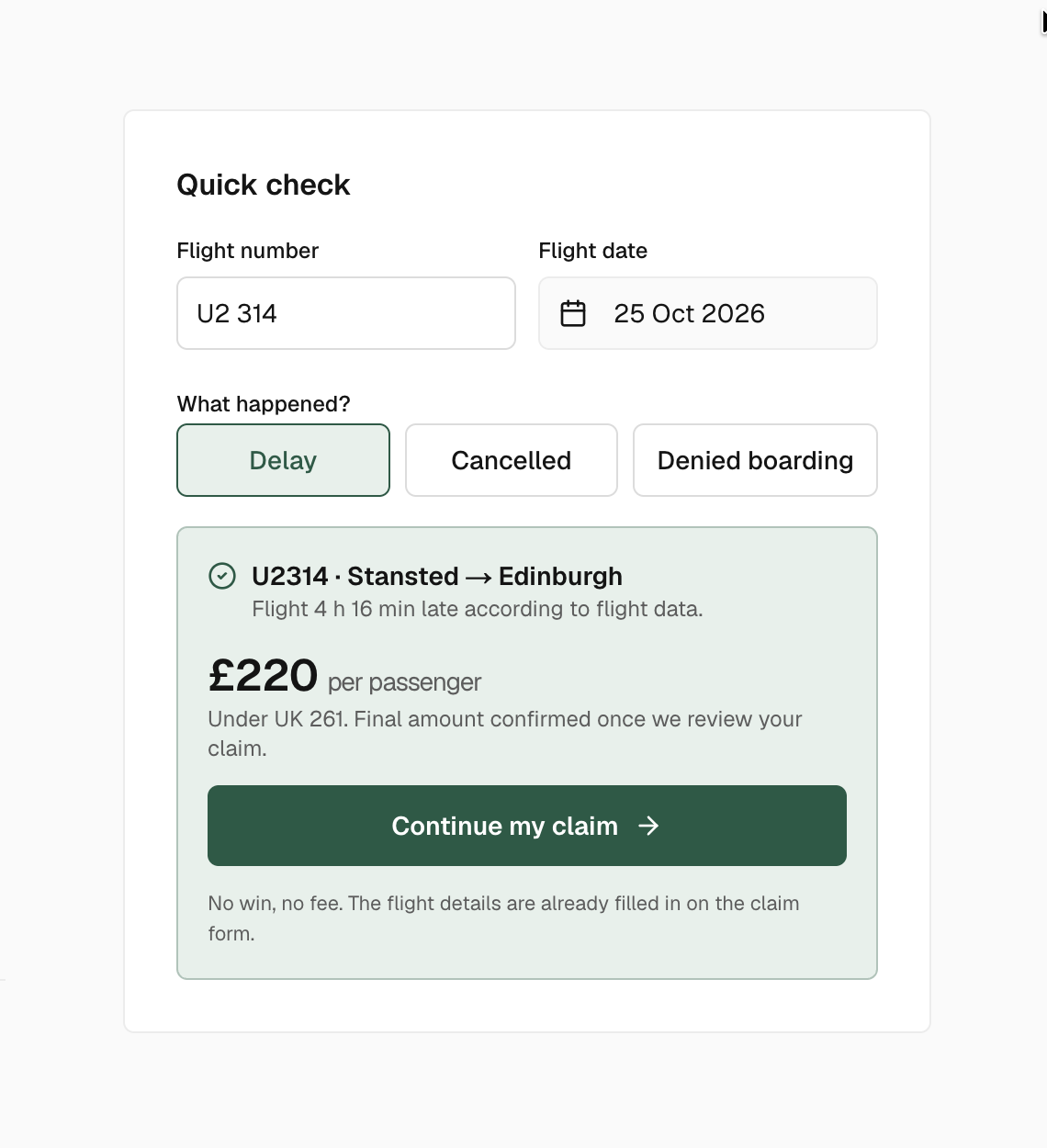
We look the flight up in real flight data and apply the compensation rules to it. Three things can happen.
| Result | What it means |
|---|---|
| Eligible | The flight was late or cancelled as recorded by the airline, and the rules give a fixed amount per passenger. The amount and the regulation are shown. Continue my claim opens the form with the flight already filled in. |
| Not eligible | The recorded data does not meet the rules: a delay under 3 hours, for example. The reason is written under the flight. You can still file, our team looks at every case. |
| Flight not found | We could not match the number and the date. Check both, then either fill the claim anyway or let the assistant find the flight with you. |
Why the amount can change
The quick check uses the flight as the airline recorded it and the distance of the route. It does not yet know the cause of the disruption, the number of passengers or whether you accepted a voucher. The final amount is confirmed once our team reviews the file, and it is always shown per passenger.
Next step
Click Continue my claim to open the claim form. The flight number, the date and the type of disruption are already filled in.